Enter it once. Sell from one record.
The boat carries its specification. The listing adds the sale. Brochures, your website feed and agreements all read from the same record, so nothing is typed twice and nothing drifts out of date.
Every person kept. Every enquiry worked.
Everyone is a contact, and Client is a tag.
A contact is matched on email or phone, or created, at the first enquiry. The Client tag is added when they buy or sign a listing authority, and staff can add or remove it by hand.
- A sales rep on every contact
- Each contact's enquiries and matches in one place
- Filters for Mine, Clients and Unassigned
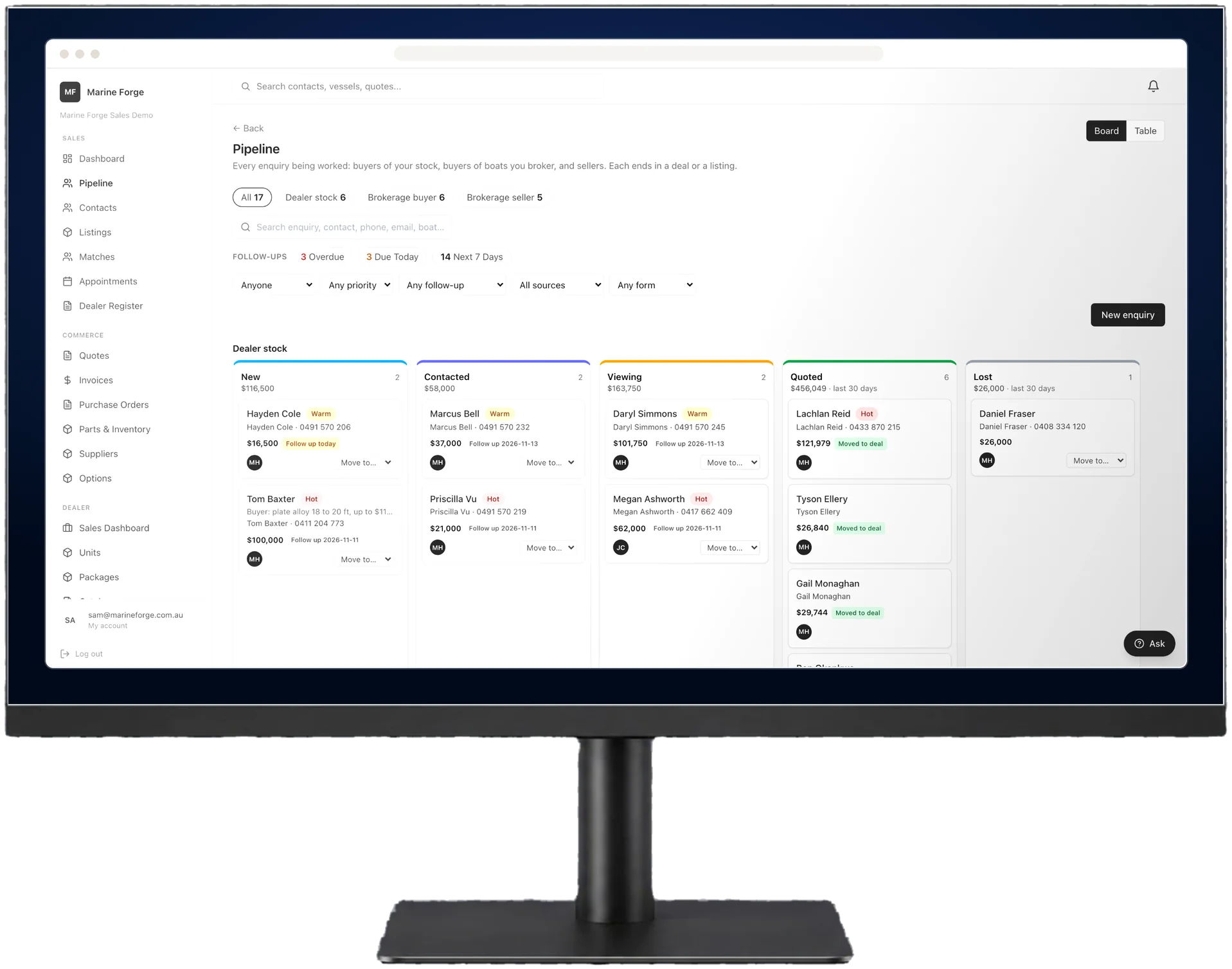
Three kinds of enquiry, each with its own stages.
Dealer stock, brokerage buyer and brokerage seller enquiries each move through their own stages, on a board or a table. One button takes each to its next step.
- Quote a unit, for a dealer stock enquiry
- Start the offer, for a brokerage buyer
- Take the listing, for a brokerage seller
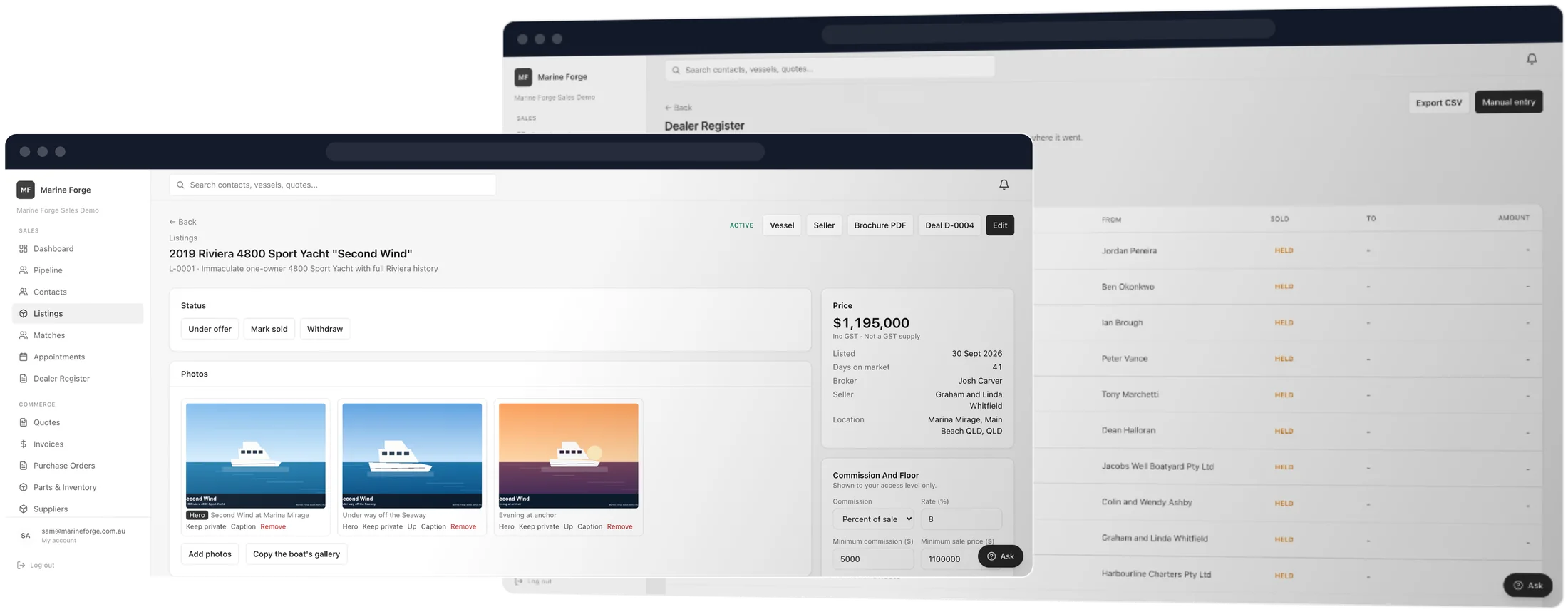
List it properly. Match it to the right buyer.
A listing built from the boat's own record.
The listing adds what is specific to this sale. A brochure comes from it, your own website reads it through a live feed, and each portal it goes to is tracked on the listing.
- Brochures to download or send to a buyer
- A website feed your site reads
- An export pack for portals
- A listing description drafted from the specs, with unsupported claims flagged
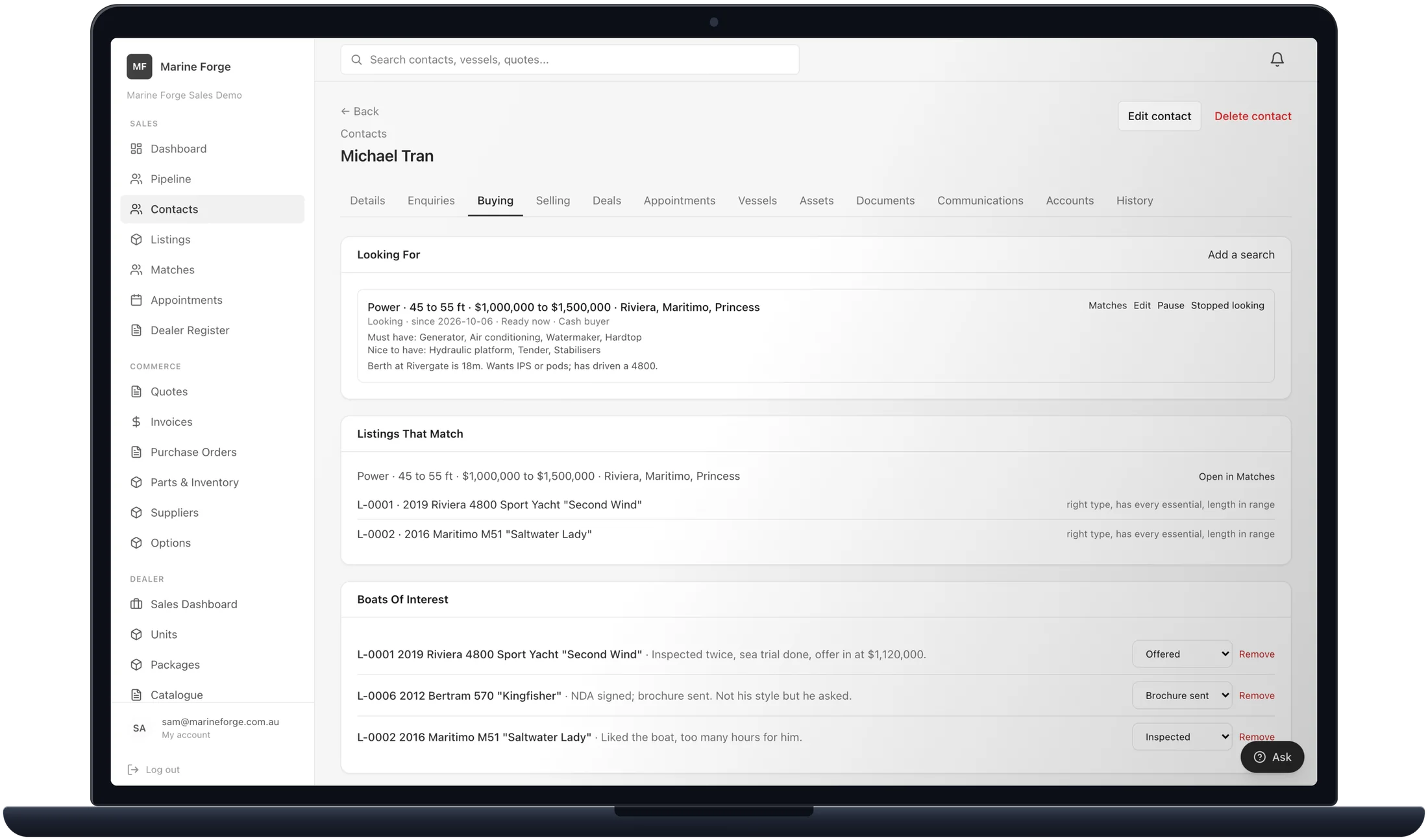
What a buyer wants stays on their contact.
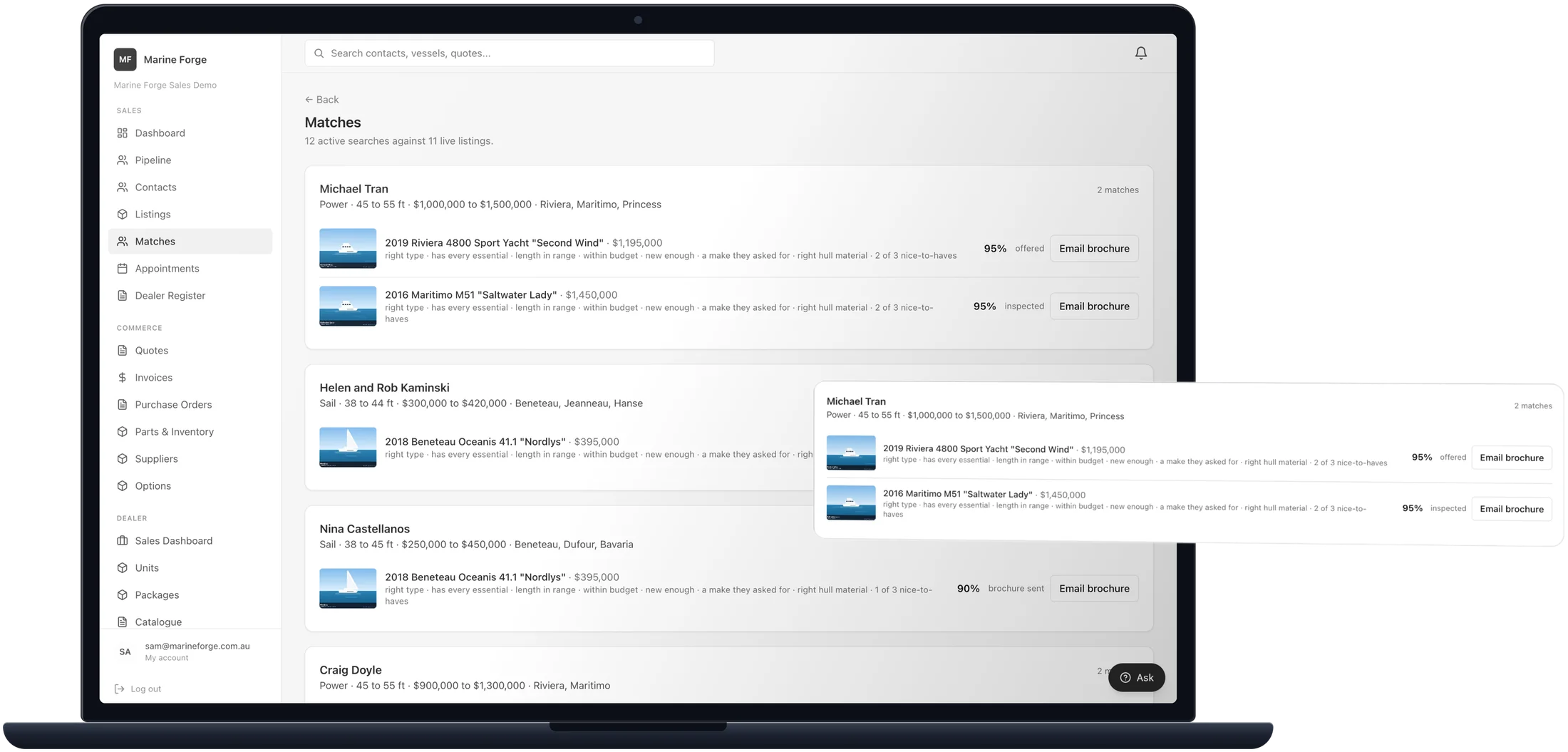
A buyer requirement holds what they need and what they would like, down to the berth it has to fit. Matches shows the listings that fit, and the contact's sales rep is told in the app when a new one goes live.
Stock you can trust. Deals that show the margin.
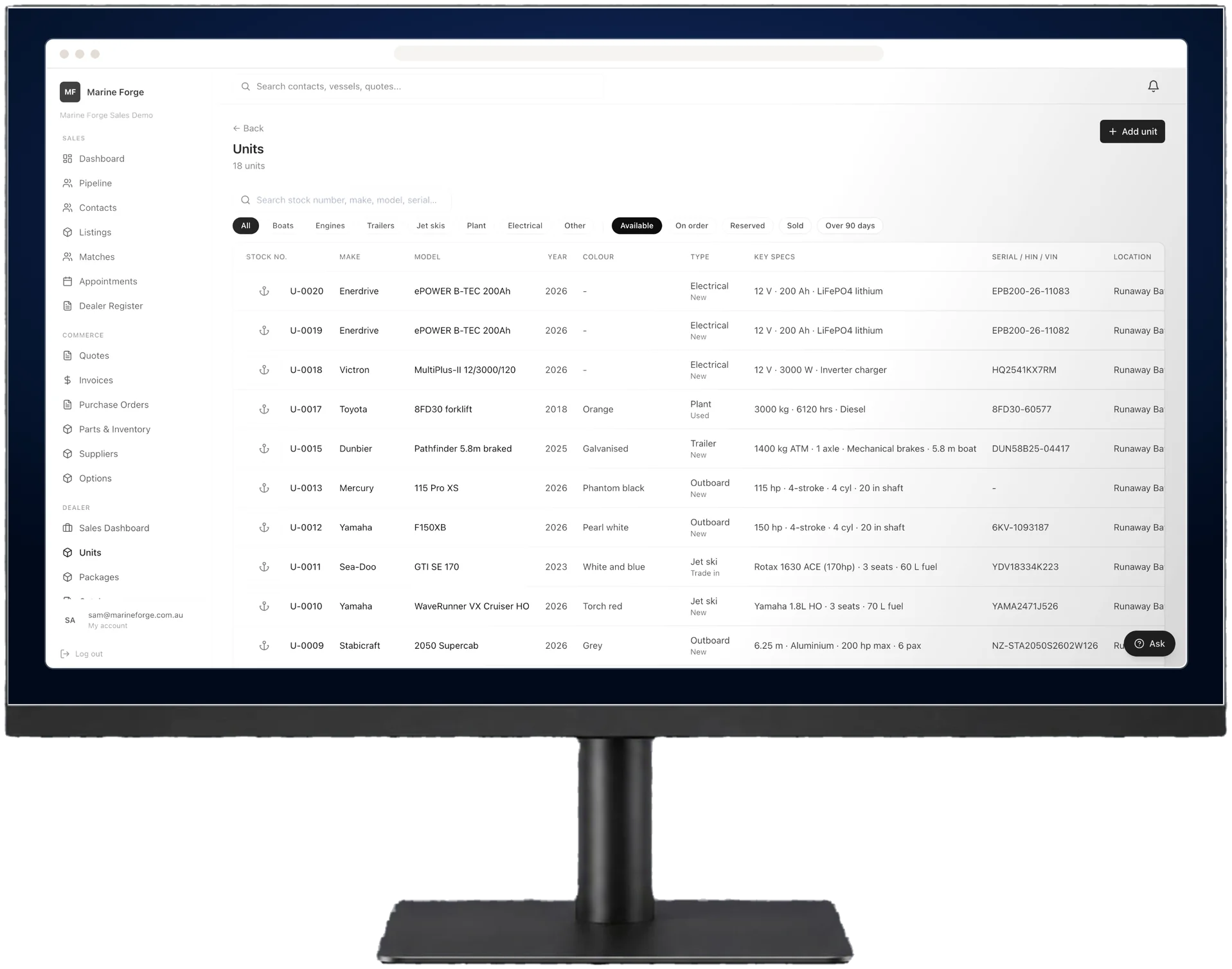
Every unit with its own serial.
Vessels, engines, jet skis, trailers, plant and electrical are each stocked with their own serial, specification and cost, as new, used, demo, consignment or trade-in. Accessories are stock lines, counted.
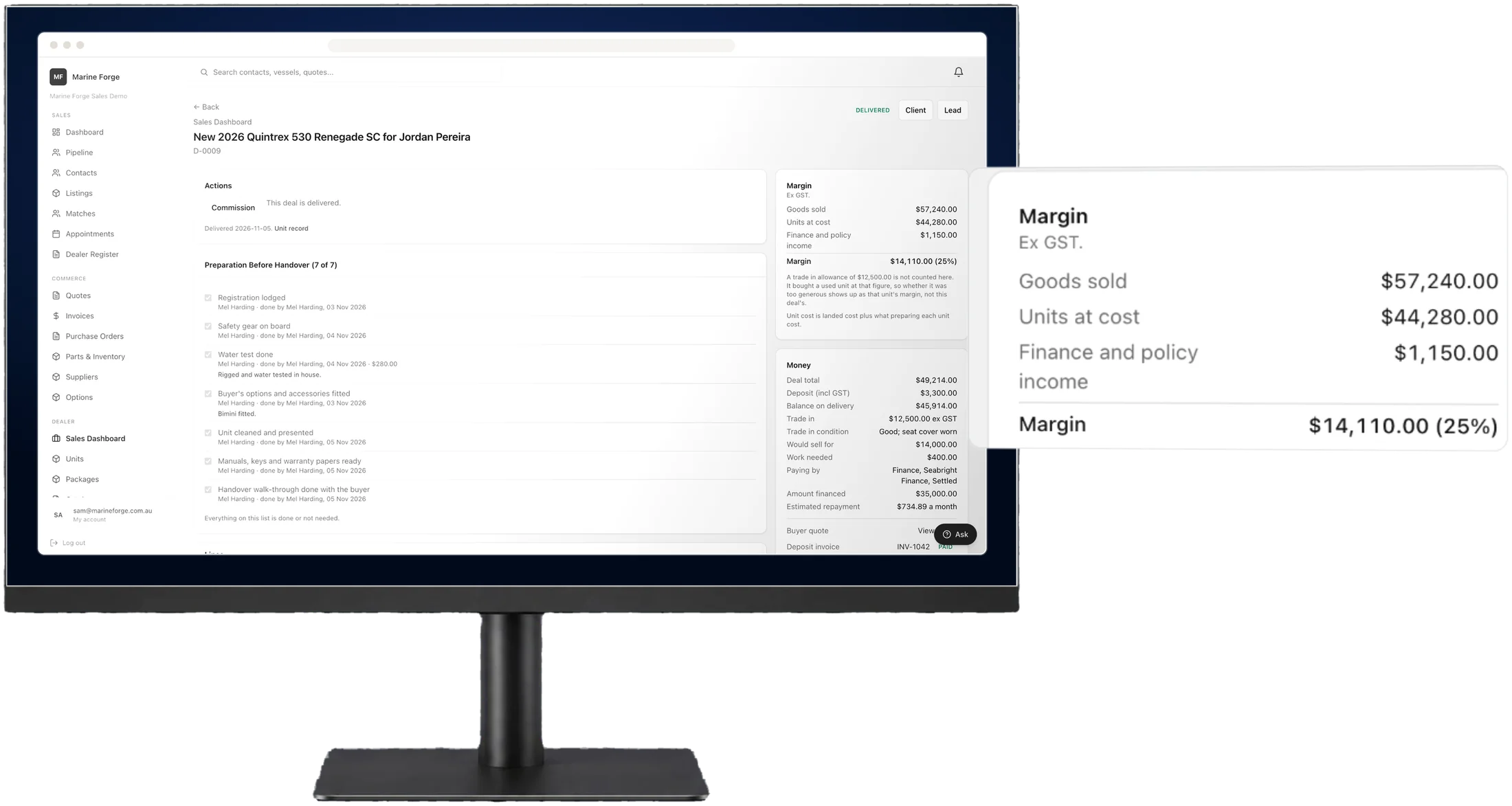
Trade-ins, finance and deposits on the deal itself.
A deal carries the trade-in, the finance and the deposit, with the margin worked out live from the sale price, landed cost and preparation costs.
- Trade-in allowance, payout owing and condition
- Lender, amount, term, rate and balloon
- Deposit invoices raised from the deal
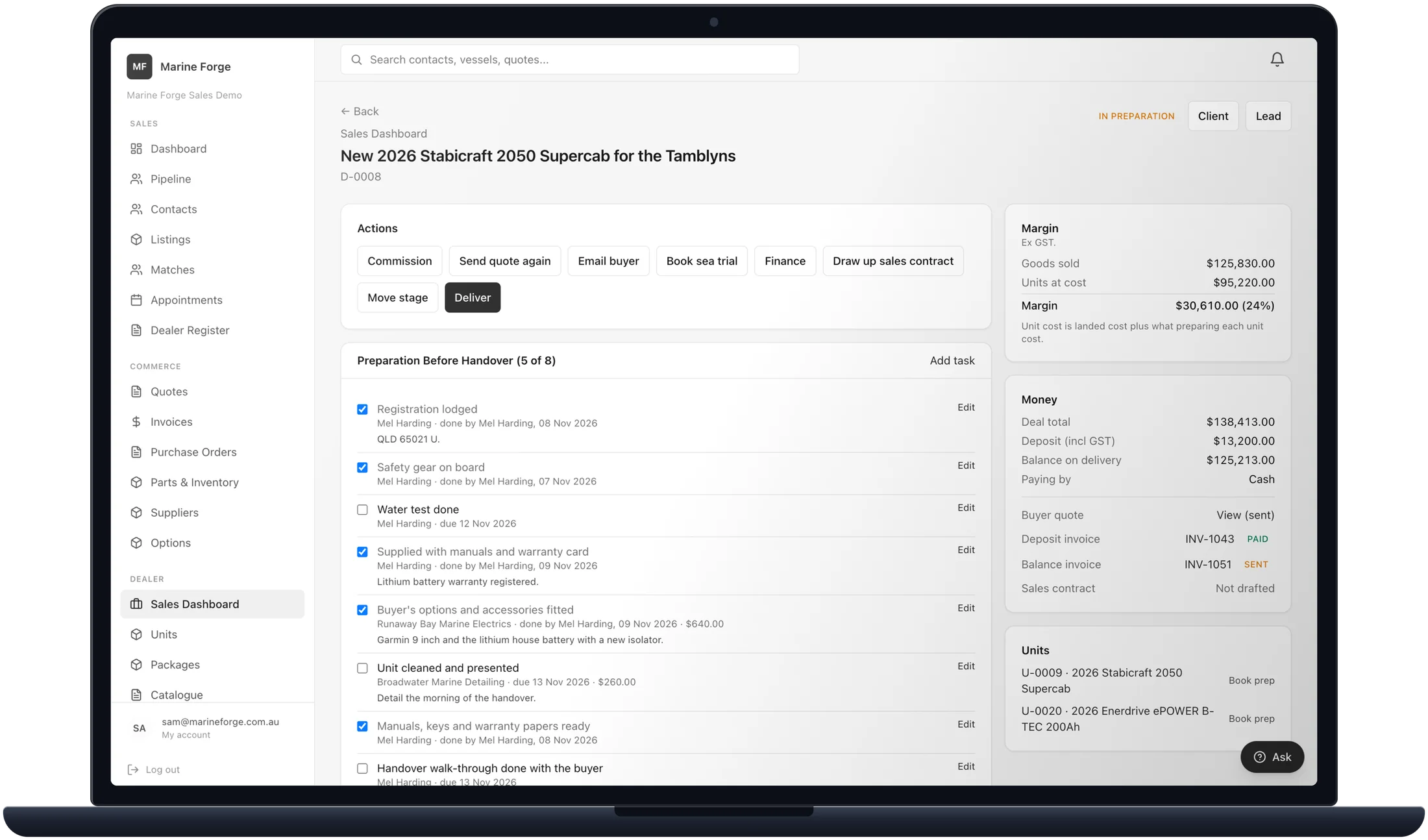
Prepared properly, and every cost counted.
Each unit and deal gets a preparation list, done by your own staff or an outside business. Its costs go on the unit, line by line, and into the margin. Delivery asks for the list to be finished, or a reason.
- Lists start on their own when a unit arrives or a deposit is raised
- Your own lists per kind of unit, edited in Settings
- Cost lines visible only with the right to see costs
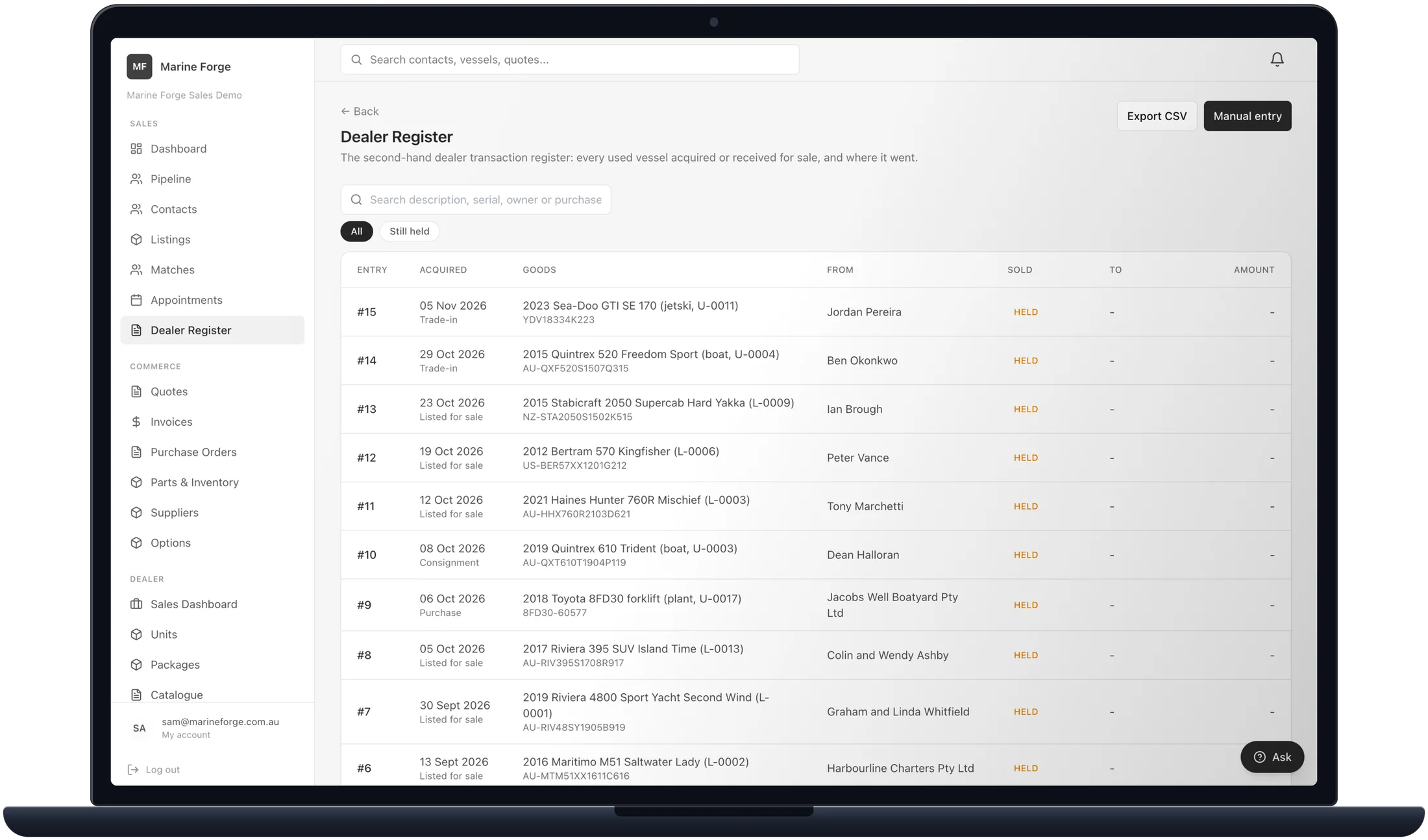
The second-hand dealer register, kept as you work.
Used stock, trade-ins and brokerage listings make their own register entries, and a sale completes them. The register exports to a spreadsheet.
The paperwork, done from the record.
Agreements and signing
Agreements drawn up from templates filled from the record, then signed online by each party in order, with a witness where one is needed.
Appointments
Inspections, sea trials, viewings, valuations, handovers and meetings. A sea trial cannot be marked done until the owner's disclaimer is signed.
Recycle bin
A deleted listing waits in the recycle bin for 30 days and can be restored exactly as it was.
Frequently asked questions.
Is anything still to come?
Yes. The handover pack and Marine Forge Bridge are coming, to join Marine Forge Sales to the workshops that service what you sell.
Can a salesperson see what a unit cost us?
Only with the right to. Costs are withheld by the database itself, not just hidden on the screen.
Does a lost enquiry lose the person?
No. The enquiry closes as lost with a reason, and the contact stays, along with what they are looking for.
Does it send text messages?
Not in the first version. Messages go by email and as notices inside the software.
What reports are there?
Reports include Days On Market, Enquiries Per Listing, Brokerage Conversion, Commission By Broker, Sales Pipeline, Aged Stock, Unit Profitability and Deal Margin.
See what Marine Forge Sales does for your business.
Tell us what you sell and how you sell it today, and we will show you how Marine Forge Sales fits.